WristGrid logo

WristGrid / GLANCEABLE GARMIN CONTEXT

WristGrid puts Garmin context at a glance on iPhone.

See selected Garmin context in glanceable iPhone widgets on a compatible Garmin setup.

Store listing not yet verified — informational status.

GARMIN CONTEXT / IPHONE WIDGETS
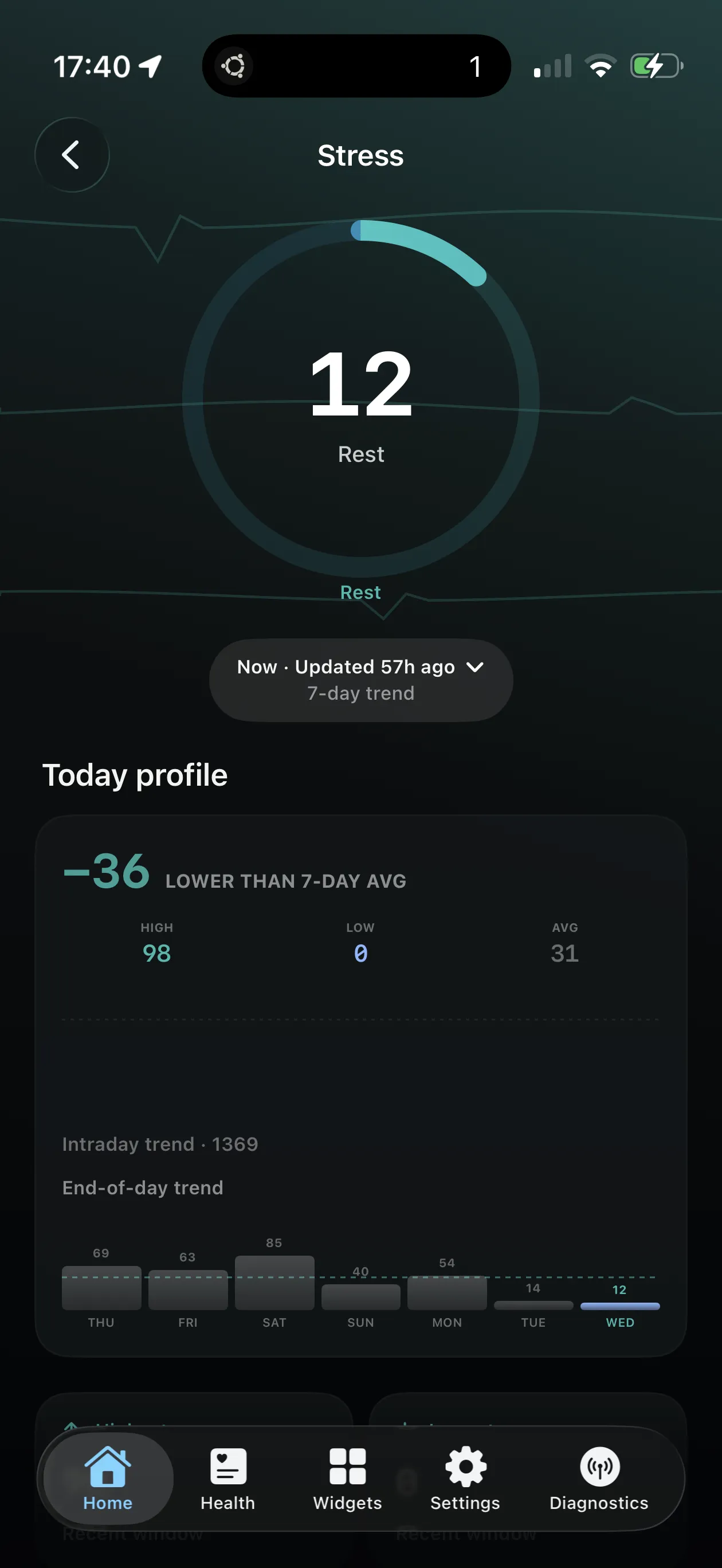
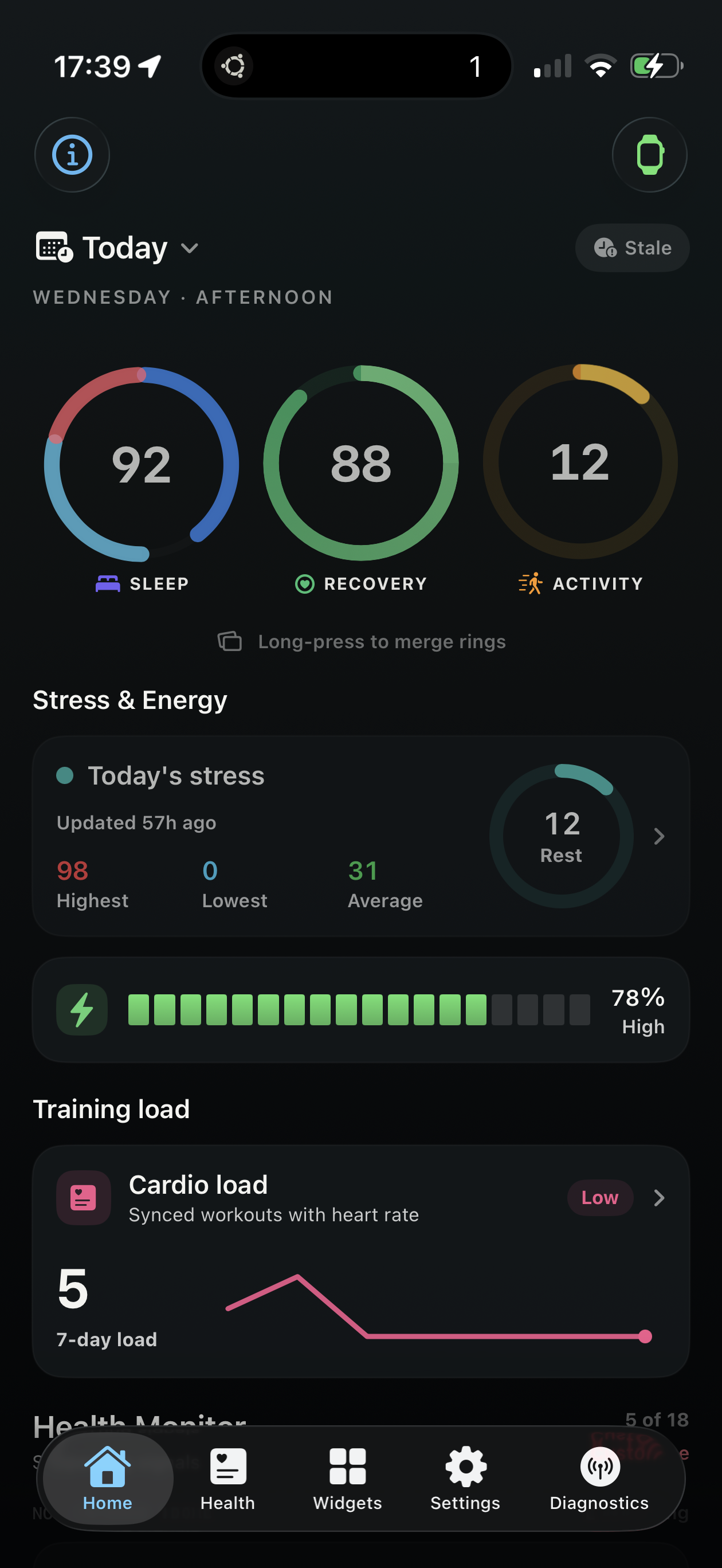
WristGrid Today dashboard showing Sleep 92, Recovery 88%, Activity 12, and stress context

The Today dashboard brings Sleep, Recovery, Activity, and stress context into one view.

01 / HEALTH OVERVIEW

A clear read on the signals you track.

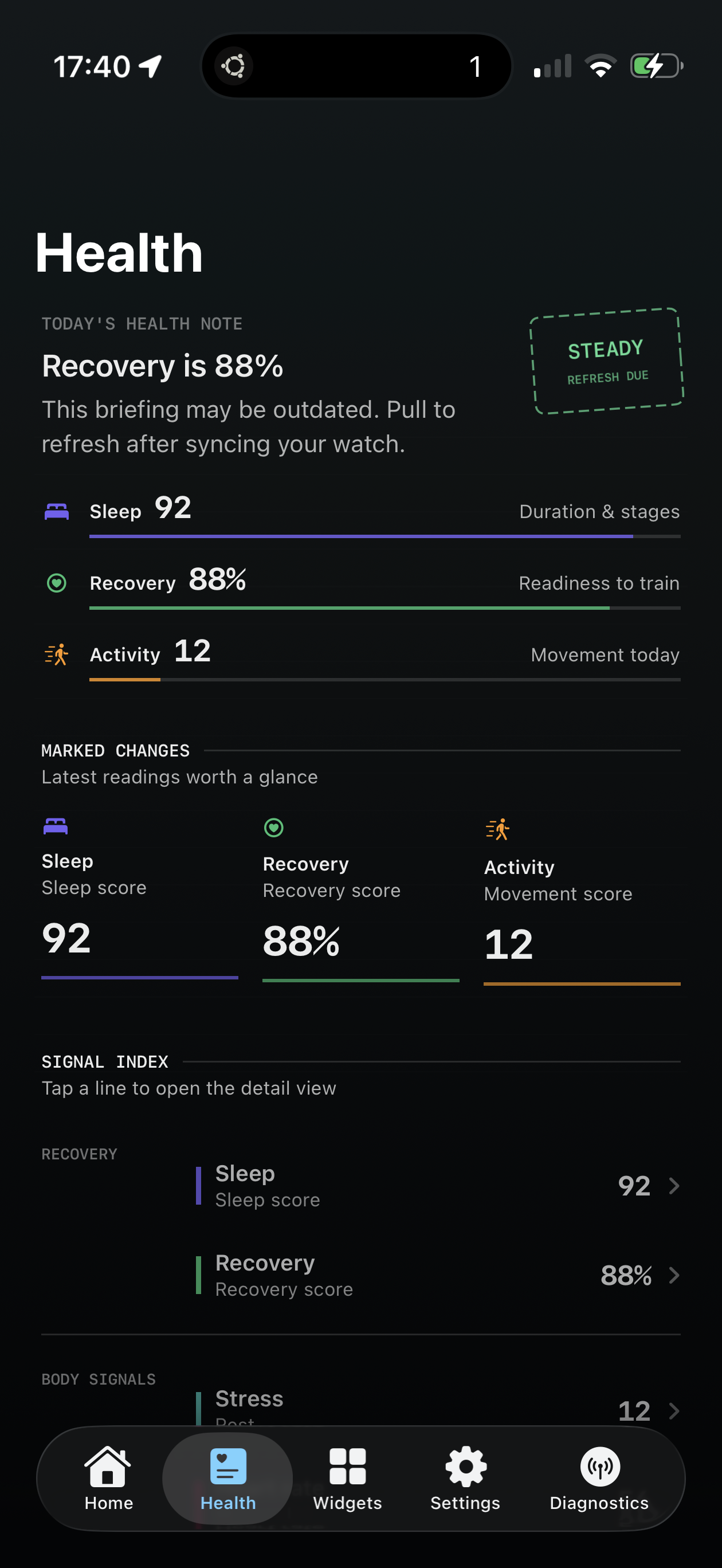
Sleep, Recovery, and Activity readings are grouped into a focused health overview. Supported Apple Health data can be filtered to Garmin-originated records, so widgets can focus on the Garmin context that matters to you.

WristGrid Health screen showing Sleep 92, Recovery 88%, and Activity 12

The Health screen groups Sleep, Recovery, and Activity readings in one briefing.

02 / FEATURES

Glanceable data on the surfaces you use.

01

IPHONE WIDGET SURFACES

Home Screen or Lock Screen.

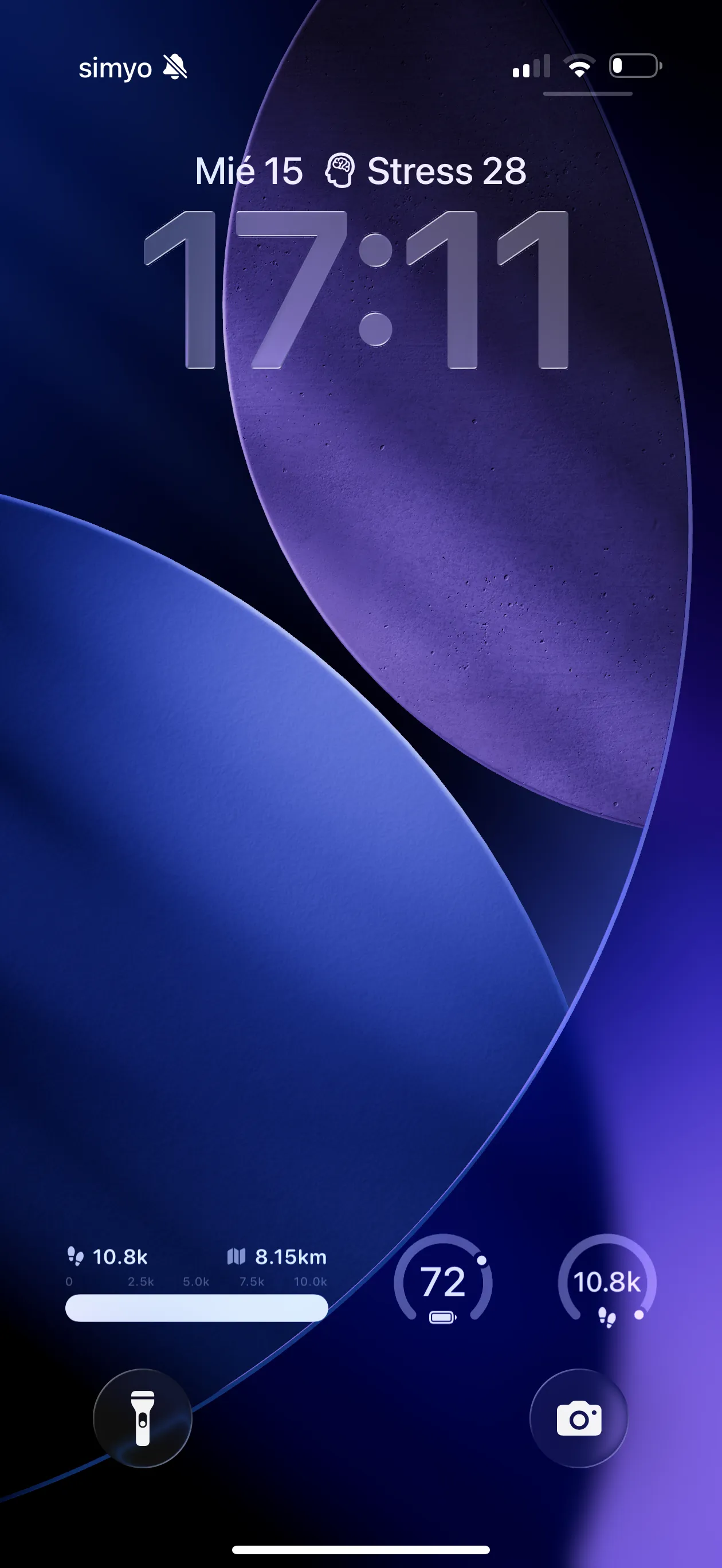
Place WristGrid on the iPhone Home Screen and Lock Screen for quick access to selected Garmin context.

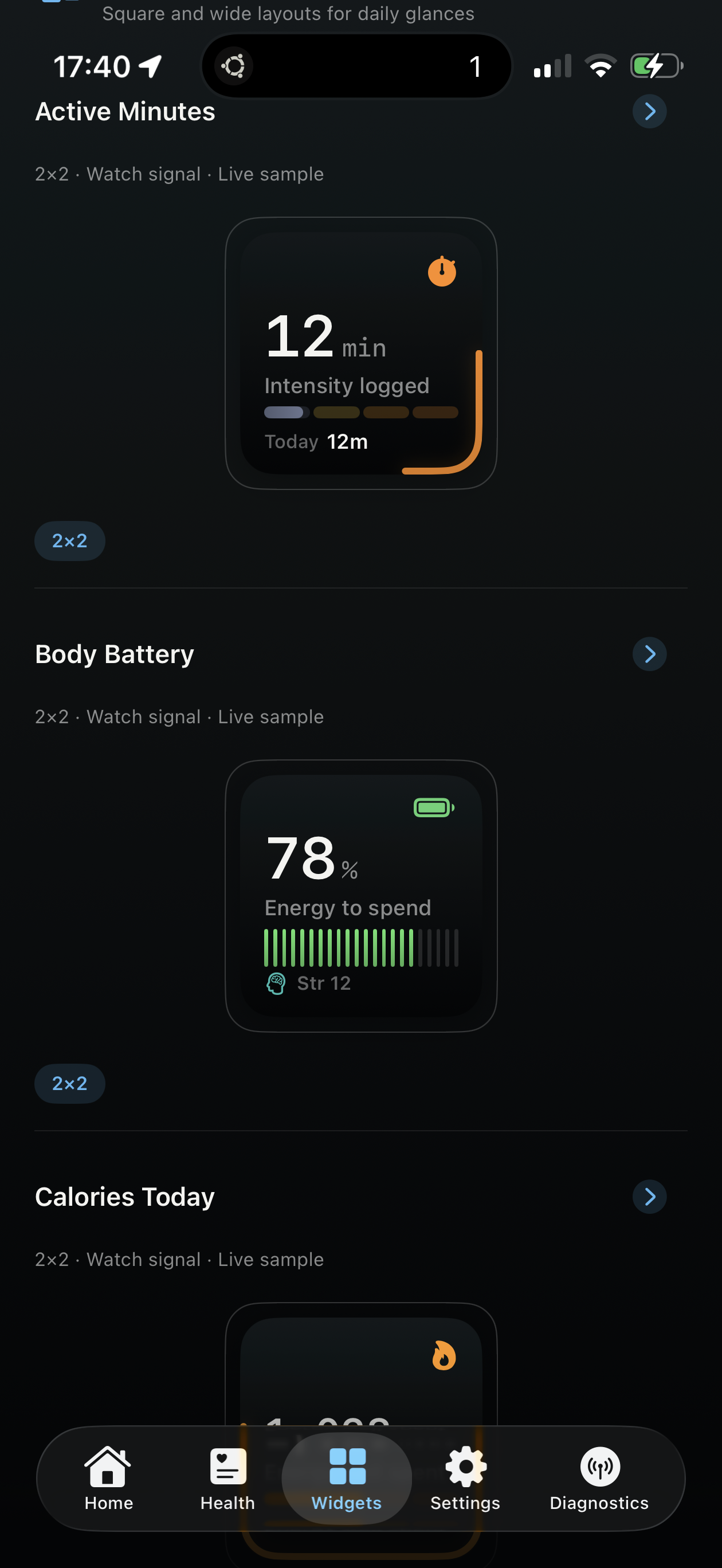
WristGrid Widgets screen showing Active Minutes, Body Battery, and Calories Today layouts

The Widgets screen shows square and wide layouts for selected watch signals.
02

RECOVERY DETAIL

Readiness with the context around it.

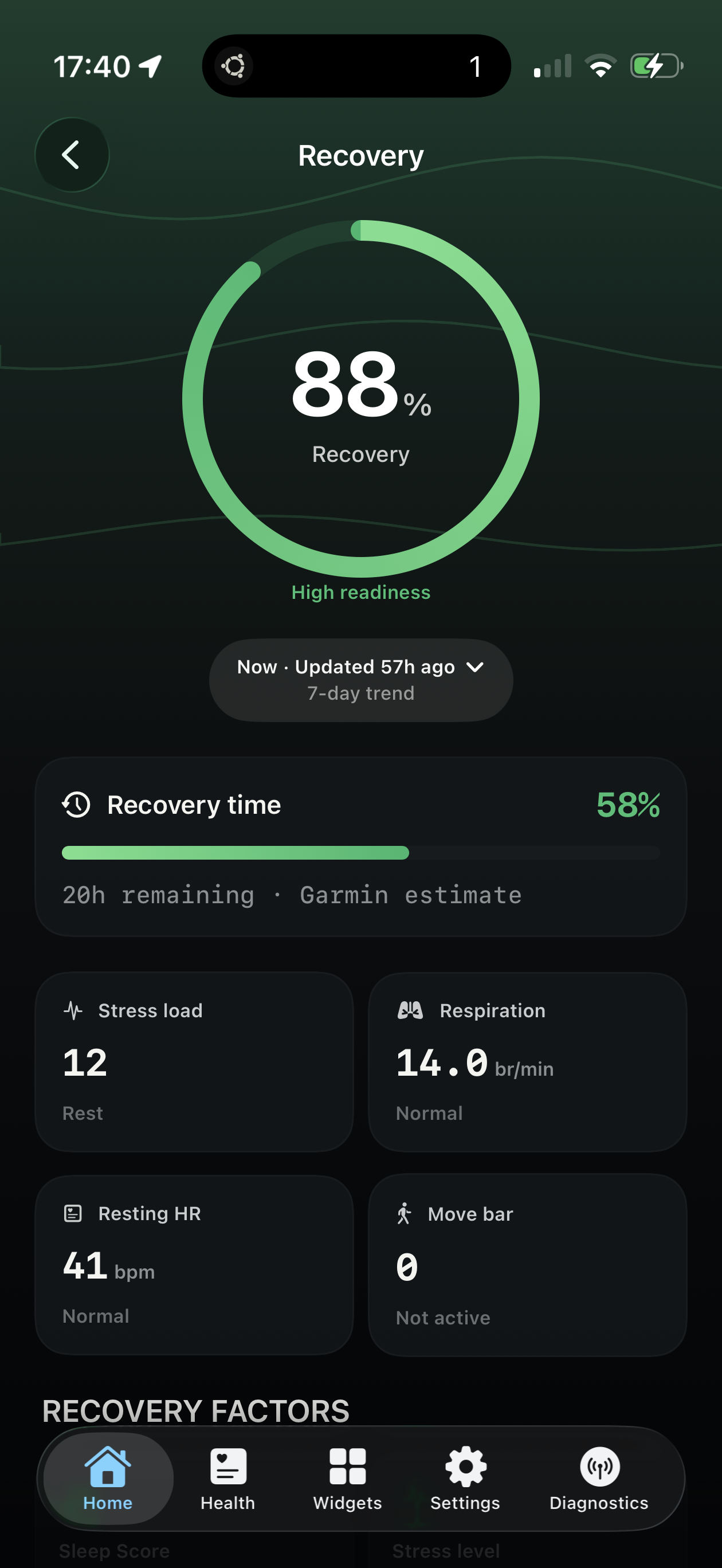
Recovery detail shows an 88% score alongside recovery time, stress load, respiration, resting heart rate, and move bar readings.

WristGrid Recovery screen showing an 88% recovery score, recovery time, stress load, respiration, resting heart rate, and move bar

Recovery detail pairs an 88% score with the supporting Garmin context visible on screen.

03

HOME SCREEN WIDGETS

Keep selected Garmin context close.

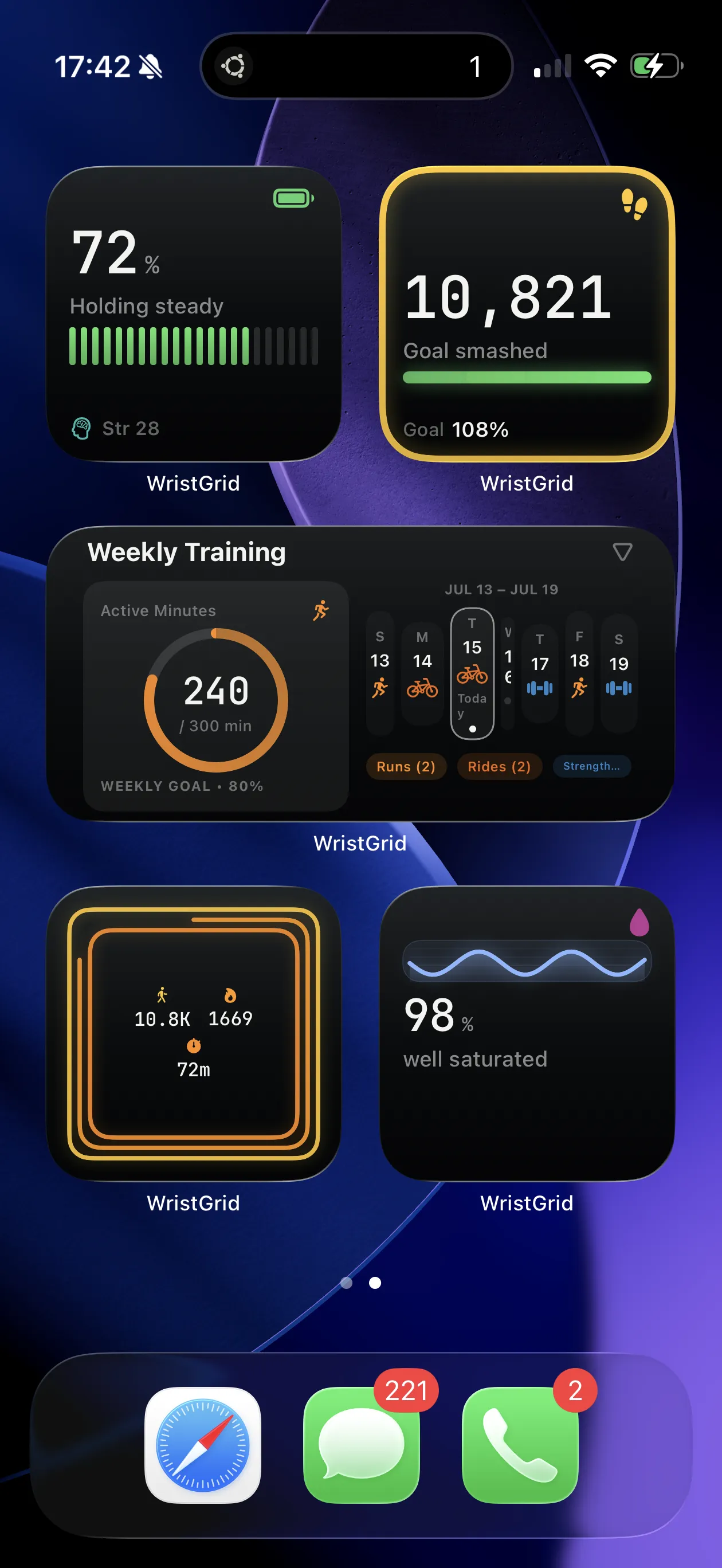
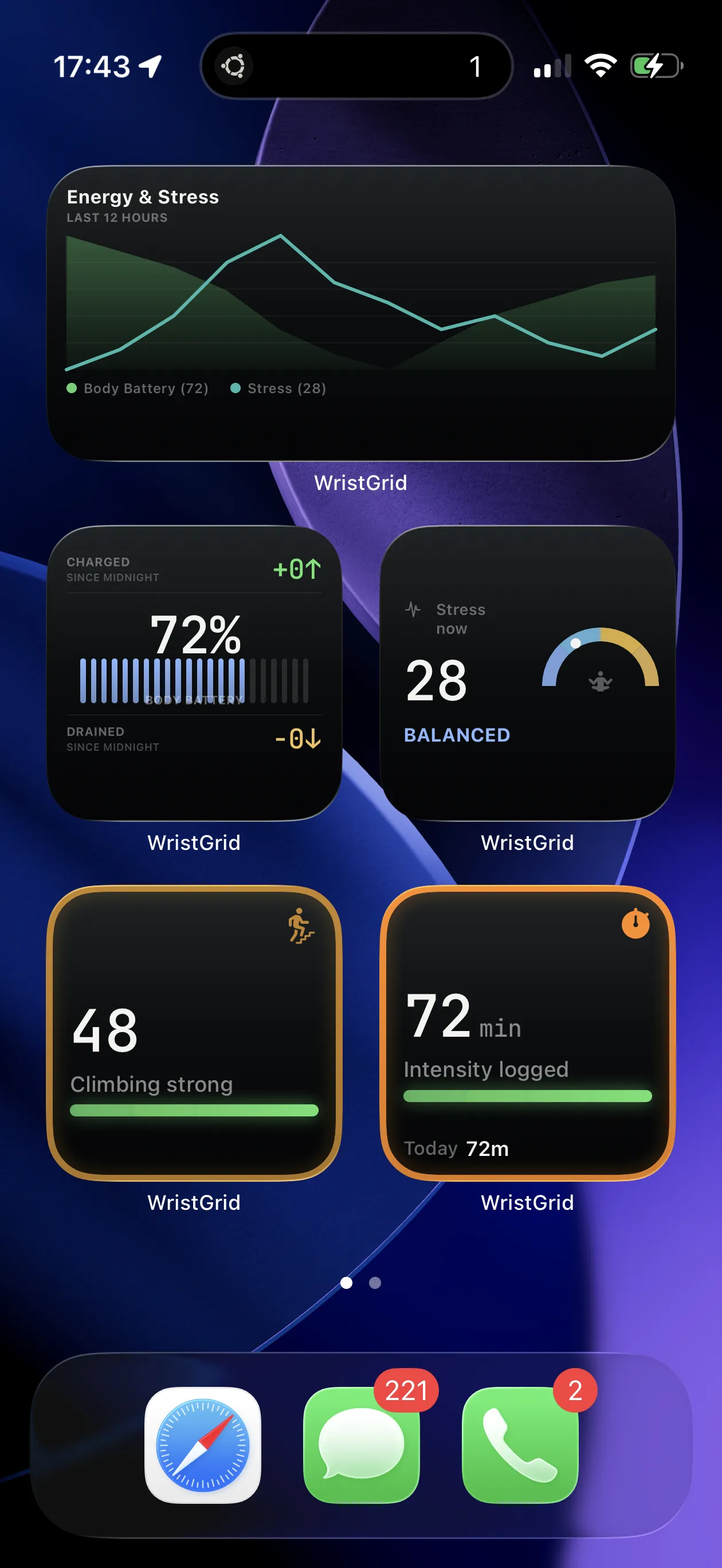
Home Screen widgets make selected Garmin context available without opening the app; supported Lock Screen placements are part of the same widget experience.

WristGrid widgets arranged on an iPhone Home Screen over a blue and purple wallpaper

WristGrid widgets can be placed on supported iPhone Home Screen and Lock Screen surfaces.

03 / SETUP

A compatible Garmin setup for WristGrid on iPhone.

Pair a compatible Garmin device and its Connect IQ companion, then use WristGrid on iPhone.

  1. SOURCE DEVICE

    Compatible Garmin device

    Start with a compatible Garmin device.

  2. CONNECT IQ COMPANION

    GW Bridge

    Connect IQ companion for selected Garmin-native metrics.

  3. PRODUCT ON IPHONE

    WristGrid on iPhone

    View selected Garmin context in supported iPhone widgets.

04 / TRUST & NEXT ACTION

Concrete privacy, clear product boundaries.

WristGrid requires no account and uses no analytics SDKs.

It does not upload data to the cloud; data is stored locally on the iPhone.

WristGrid is an independent product, not affiliated with, endorsed by, or sponsored by Garmin.

Store listing not yet verified — informational status.

05 / FAQ

Frequently asked questions.

Short answers about WristGrid, its compatible setup, and the current product status.

What is WristGrid?

WristGrid is an iPhone widget app for viewing selected Garmin context at a glance on supported iPhone surfaces.

What Garmin setup works with WristGrid?

Use a compatible Garmin device with its Connect IQ companion, then add WristGrid on iPhone.

Which iPhone surfaces are supported?

Supported WristGrid widgets can be placed on the iPhone Home Screen and Lock Screen.

Which metrics and records can WristGrid show?

WristGrid can present selected Garmin-native metrics: Body Battery, Stress, Recovery Time, and Move Bar. Supported Apple Health records used for widgets are Garmin-originated.

What are WristGrid's local-first privacy facts?

No account is required, no analytics SDKs are used, WristGrid does not upload data to the cloud, and data is stored locally on the iPhone.

What is the current store availability status?

Store listing not yet verified — informational status. This site provides product details and setup context while that status is current.