 WristGrid by Gurfus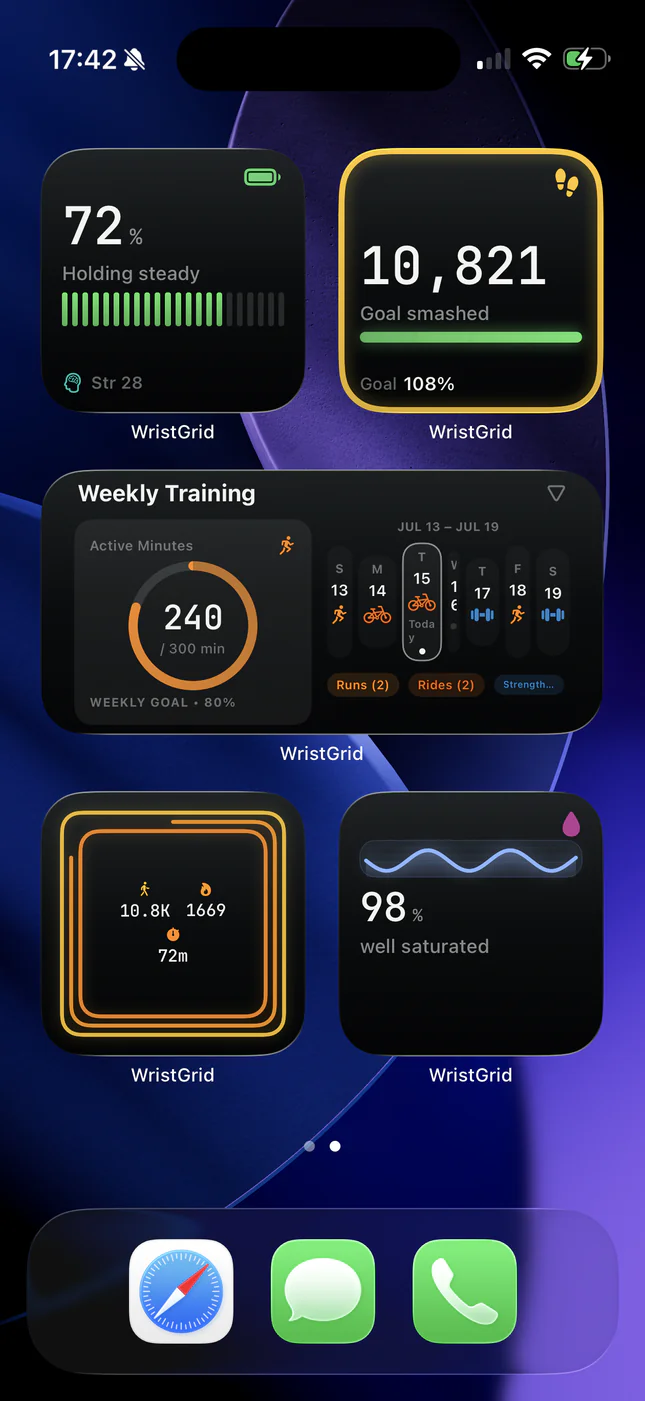
Why there's no official widget
Garmin Connect focuses on in-app dashboards, charts, and training history. As of mid-2026 it still ships no WidgetKit-based iPhone widgets, so Body Battery, stress, sleep data, and steps stay behind the app icon.
Apple Health can receive some Garmin-originated records, but Apple Health also does not give you a native Home Screen widget for Garmin-originated Body Battery or Connect-style readiness. Searching Google for “garmin widgets iphone” is usually someone hitting that exact dead end.
What people try instead
Common workarounds include opening Garmin Connect every time you want a glance, building a DIY Scriptable widget that scrapes data through unofficial APIs, or using a third-party training dashboard that happens to support Garmin import.
DIY setups can work for technical users, but they break when auth tokens expire, need GitHub Actions or a always-on sync job, and rarely feel like a normal iPhone widget. Dashboard apps may show training summaries without matching the watch-native metrics you already trust on Garmin.
Garmin Connect vs WristGrid vs DIY
Garmin Connect: best official history and device settings; no iPhone Home Screen or Lock Screen widgets.
DIY Scriptable / GitHub Actions: flexible if you maintain it, but fragile sync, no App Store privacy review path, and usually delayed refreshes.
WristGrid: a dedicated iPhone widget app for selected Garmin metrics via the GW Bridge Connect IQ companion. It works with every Garmin watch listed for GW Bridge on the Connect IQ Store. Home Screen and Lock Screen placements, local-first privacy, no account required. WristGrid is available on the App Store.
How WristGrid solves it
WristGrid pairs with your Garmin watch through GW Bridge on Connect IQ and shows Body Battery, Stress, Sleep, Recovery, Steps, Distance, Training load, VO2max, and related context as native iOS widgets, without opening Connect.
Widgets read a local snapshot fed by the watch-side companion. They refresh periodically, typically within 15 to 60 minutes as controlled by WidgetKit. You place them like any other iPhone widget: long-press Home Screen → +, find WristGrid, pick a size and metric. Lock Screen circular widgets are available for compact gauges.
What you need
A compatible Garmin watch (any watch listed for GW Bridge on the Connect IQ Store), the GW Bridge Connect IQ companion installed from the Connect IQ Store, and WristGrid on iPhone, available on the App Store.
WristGrid is an independent product and is not affiliated with, endorsed by, or sponsored by Garmin. Garmin and Connect IQ are trademarks of Garmin Ltd.