WRISTGRID GUIDE
Add a Garmin steps widget to your iPhone
If your steps live on your Garmin watch, they're not on your iPhone Home Screen by default. WristGrid puts your Garmin step count and distance on your iPhone as a widget with a progress bar toward your goal.
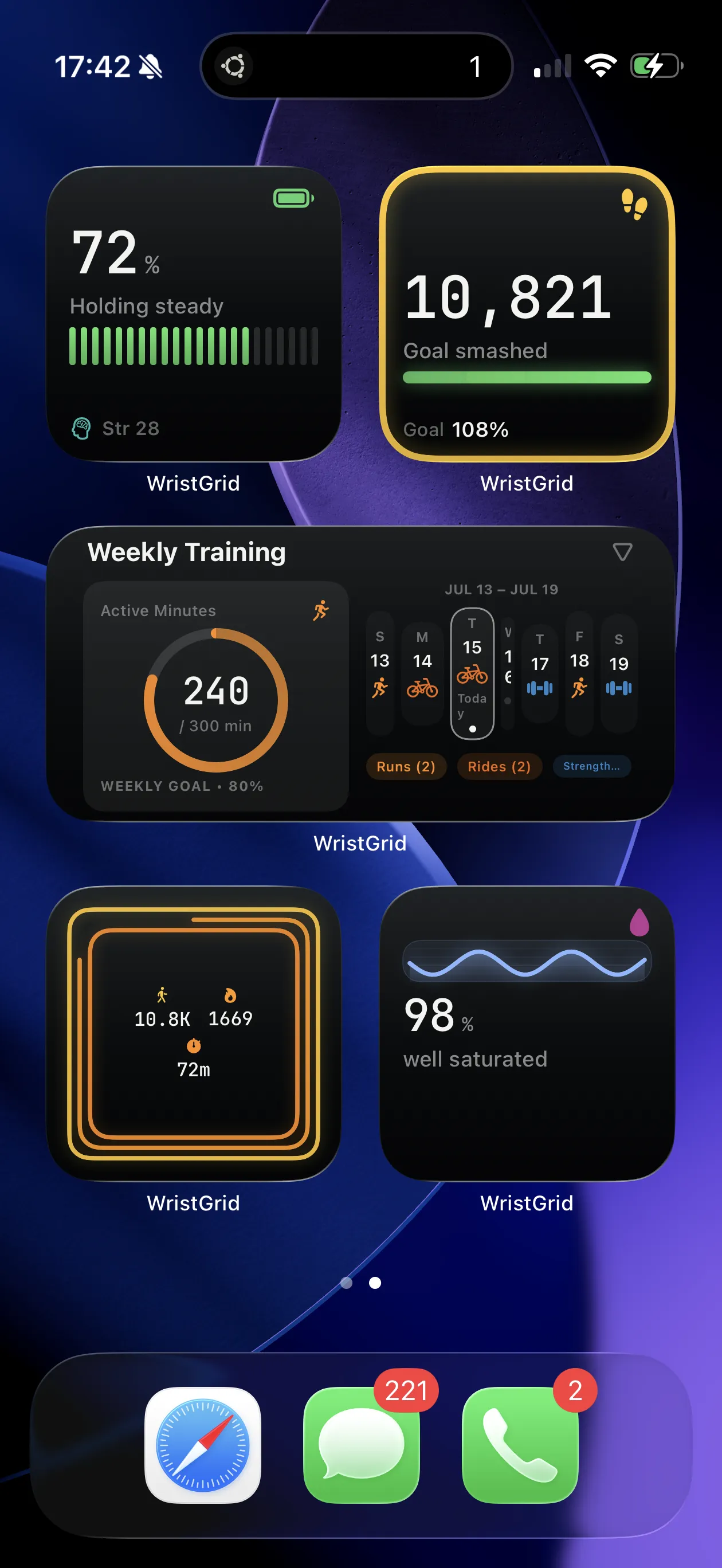
Steps and distance with goal progress, on your iPhone Home Screen.
Why your Garmin steps aren't on your phone
Garmin Connect tracks steps and intensity minutes in-app, but offers no Home Screen widget. Apple Health may show steps from multiple sources, yet it still will not give you a Garmin-branded widget with your watch goal progress.
That is why “garmin steps widget iphone” shows up in autocomplete: people want the watch number on the phone they glance at all day.
Why a steps widget motivates
Seeing progress toward a daily goal on your Home Screen keeps movement visible without opening an app. Distance and active minutes alongside steps turn a vanity count into a fuller activity glance.
How WristGrid shows it
WristGrid reads steps and distance from your watch and shows them with goal progress as an iPhone widget with periodic refresh controlled by WidgetKit. It can also surface Garmin active minutes alongside steps so your daily movement goal stays one glance away.
WristGrid is an independent product and is not affiliated with, endorsed by, or sponsored by Garmin. Garmin and Connect IQ are trademarks of Garmin Ltd.
FAQ
Frequently asked questions.
Can I see my Garmin steps on my iPhone?
Yes — WristGrid shows your Garmin steps and distance as an iPhone widget.
Does the widget show my step goal progress?
Yes — WristGrid shows steps with a progress bar toward your goal.
Does it update during the day?
Steps refresh periodically from your watch via GW Bridge, typically within 15–60 minutes as controlled by WidgetKit.
NEXT STEP
Put your Garmin metrics on your iPhone.
Now on the App Store