WRISTGRID GUIDE
Track Garmin recovery and readiness on your iPhone
Recovery and readiness tell you whether today is a training day or a rest day. Garmin provides recovery time and supporting watch signals; WristGrid computes its own recovery score from sleep, resting heart rate, stress, and Body Battery, then shows the result on your iPhone.
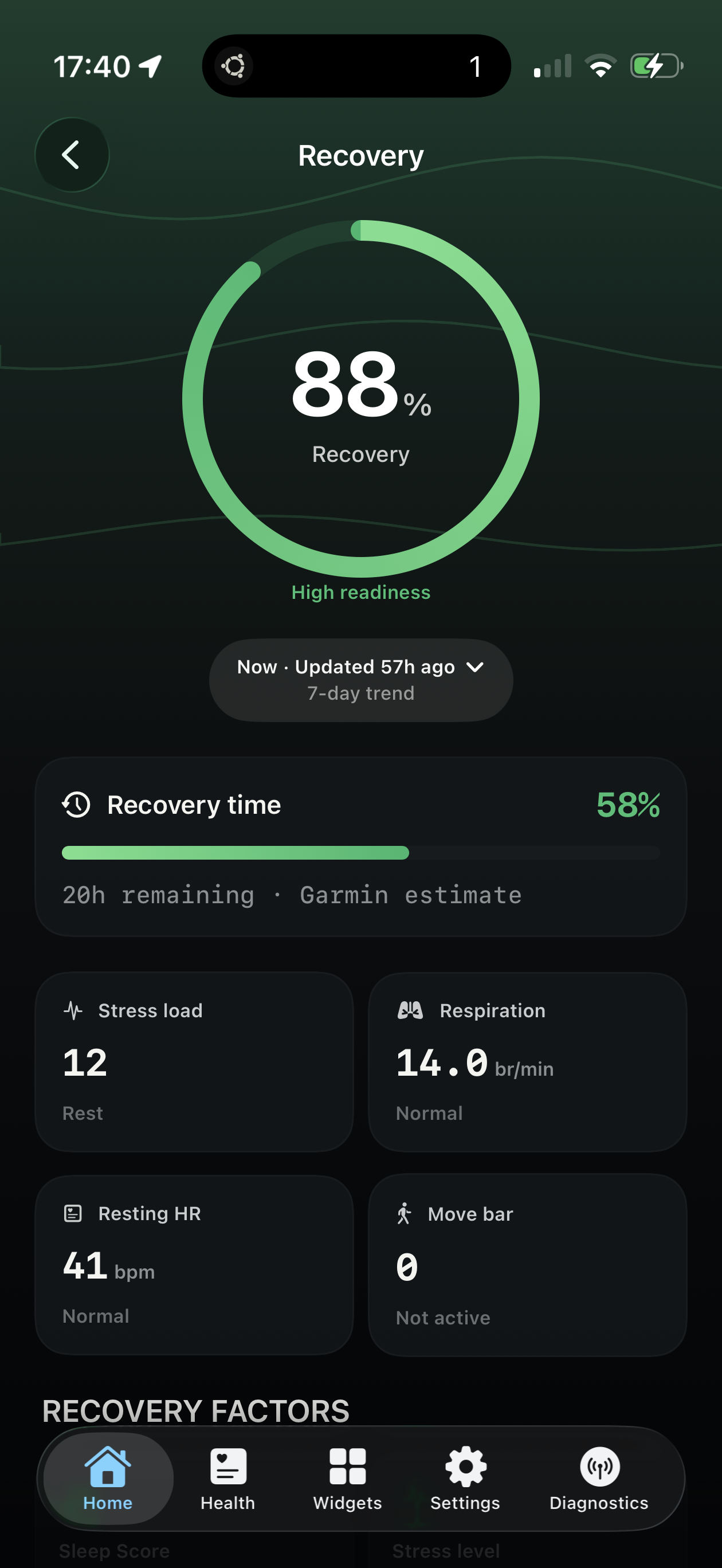
Recovery score with stress load, resting heart rate, and training load alongside.
What recovery and readiness mean
Garmin watch data supplies recovery time and the supporting signals WristGrid uses. WristGrid’s recovery score weights sleep at 35%, resting heart rate at 25%, stress at 25%, and Body Battery at 15%; training load and resting heart rate add context.
Connect shows the detail well; it just does not put that score on your iPhone Home Screen as a widget.
Why it belongs on your phone
A quick readiness check each morning guides training decisions — and it is fastest as a Home Screen widget before you lace up or book a hard interval session.
Pair recovery with Body Battery and stress widgets if you want energy, strain, and readiness in one glance.
How WristGrid shows it
WristGrid reads Garmin-native recovery time and supporting watch data, then computes its recovery score with context such as stress load, resting heart rate, training load, and move bar as an iPhone widget. The in-app Recovery screen expands the same story when you want more than a glance.
WristGrid is an independent product and is not affiliated with, endorsed by, or sponsored by Garmin. Garmin and Connect IQ are trademarks of Garmin Ltd.
FAQ
Frequently asked questions.
Can I see recovery time and a recovery score on my iPhone?
Yes — WristGrid shows Garmin-native recovery time and a separate WristGrid-derived recovery score as iPhone widgets.
What context does WristGrid show with recovery?
Recovery time, stress load, respiration, resting heart rate, and move bar readings where available.
How often does recovery data refresh?
Recovery data refreshes periodically through GW Bridge and WidgetKit, typically within 15–60 minutes rather than continuously.
NEXT STEP
Put your Garmin metrics on your iPhone.
Now on the App Store